

Estimating & drafting for commercial millwork
MillworkSuite: AI estimating, direct to drafting — from construction drawing to production without re-entry.
MillworkSuite is the AI Estimating & Direct to Drafting platform for commercial millwork. It reads any PDF architectural set, finds the scope buried in the elevations and details, prices it with your own numbers, and hands off clean to your CAD software — in hours, not weeks.



Results observed in commercial millwork projects
*Results observed across selected commercial millwork projects. Actual results vary based on project complexity, drawing quality and workflow.
The Platform
Estimating & drafting, integrated.
Same product. Same database. Same scope — from estimate to shop drawings. No handoff, no transmission, no re-entry.
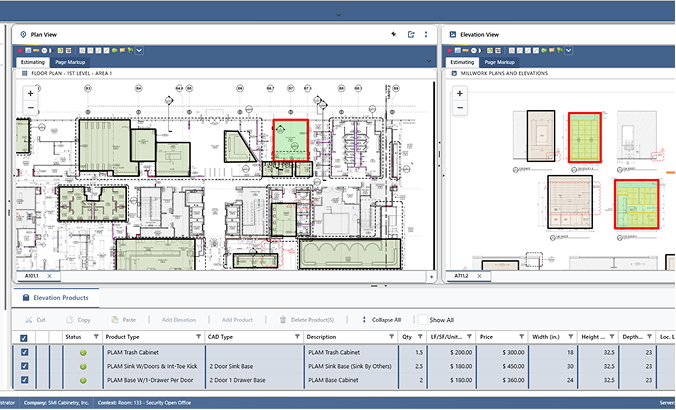
AI scope discovery + pricing engine
- Organizes pages by room and elevation
- Detects every casework product, in every elevation — 90%+ scope accuracy
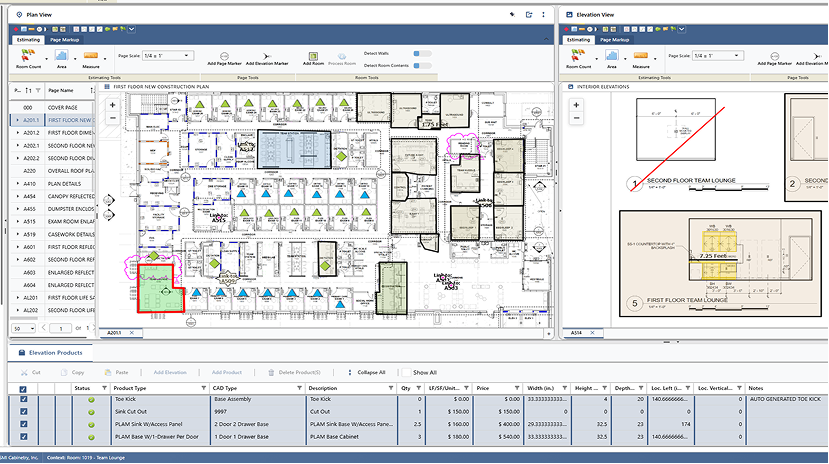
- Cross-references floor plans and elevations
- Generates a scope with your custom pricing
- Calibrates measurements — scale-accurate, no manual conversion
- Exports the proposal to Excel
Direct CAD handoff
Cabinet libraries arrive pre-matched to your catalog, so the draftsperson opens a job that is already built.
- Native export — a live, pre-built job file
- Cabinet layouts auto-matched to your libraries
- Revisions push as deltas — reimport only what changed
AI elevation detection
Every elevation found and tagged with its room, scale, and millwork type — the work that used to eat the first week of a bid.
Auto page organization
Any PDF set — any size, any revision state — renamed and organized before you open a single sheet.
Floor-plan intelligence
Rooms and elevation markers detected on the plan; identical rooms counted; each marker linked to its detail sheet.
Linked detail & split view
Plan, elevation, and scope items side by side — verification stops being a hunt and becomes a review.
Calibrated measurement
Dimensions verified against page scale; distances and areas computed across pages — no manual conversion.
Your pricing, not a database
Material, labor, and overhead rates that are yours. The number that comes out is the number your shop can build to.
Proposal generation
The priced estimate becomes a branded scope-of-work proposal ready for GC submission — no retyping into Word.
Scope export to Excel & CAD
Excel with pricing intact, or straight into your CAD software with layouts auto-matched — shop drawings start from done.
And this is where the suite starts, not where it ends — the same intelligence is being extended along the rest of the production path.
How The AI Works
AI does the finding. Your estimator does the deciding.
-
Finds
MillworkSuite reads the drawing set and identifies relevant millwork information.
-
Connects
Floor plans, elevation markers, elevations, details and resulting scope stay connected instead of becoming isolated PDF markups.
-
Shows its work
Detected items are traceable back to the source drawing, so an estimator can verify them.
-
Waits for approval
The estimator can confirm, modify, add or remove scope before pricing and any downstream output.
Built For
Built for commercial millwork contractors.
One product. Three roles. Three problems solved.
The Estimator
SpeedSpending weeks per major job just building the count? Want to bid more work without hiring another estimator? MillworkSuite cuts the estimation effort by 40%–60%.
For EstimatorsThe Owner / President
MarginLeaving bids on the table because your team can't keep up? Or winning the bids but having to pass on work when drafting can't keep pace? MillworkSuite solves both.
For OwnersThe Draftsperson
HandoffStarting from a blank page on every project? MillworkSuite gives you a pre-drawn job to jump-start the drafting process.
For Drafting TeamsPricing
Start with the workflow you need.
Estimating and drafting can be adopted together or one at a time. We will scope the right starting point with you.
Starts at $150 per user, per month*
-
Takeoff
For teams who want to estimate and create bid-ready scope and quote faster with their own pricing.
-
Start here
Standard
For small to medium millwork companies with their own estimating and drafting teams who work on one CAD platform.
-
Premium
For large millwork companies with teams of 10+ and a large library of drafting items.
-
Enterprise
For organizations with customized requirements and outsourced teams.
*Starting price, per user per month. Final pricing depends on the plan and the number of users.
Resources
Blog
Perspectives on where estimating, drafting and production are headed for commercial millwork — ours, and the industry's.
-
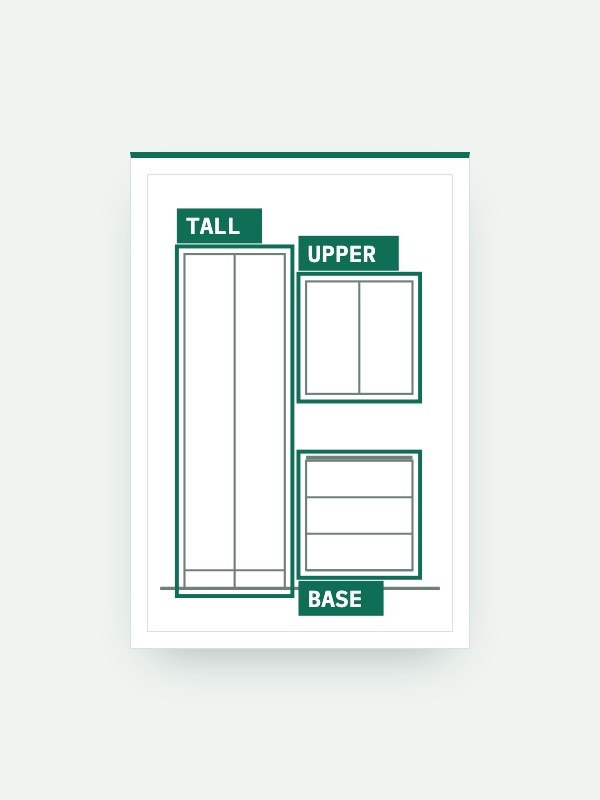
Why MillworkSuite Doesn't Use a Language Model to Read Your Drawings
Brad Hull on why our drawing intelligence is a detection model trained on commercial millwork, and why same-set-same-answer, traceable output matters more than fluency once a shop has more than a couple of estimators.
Read the article -
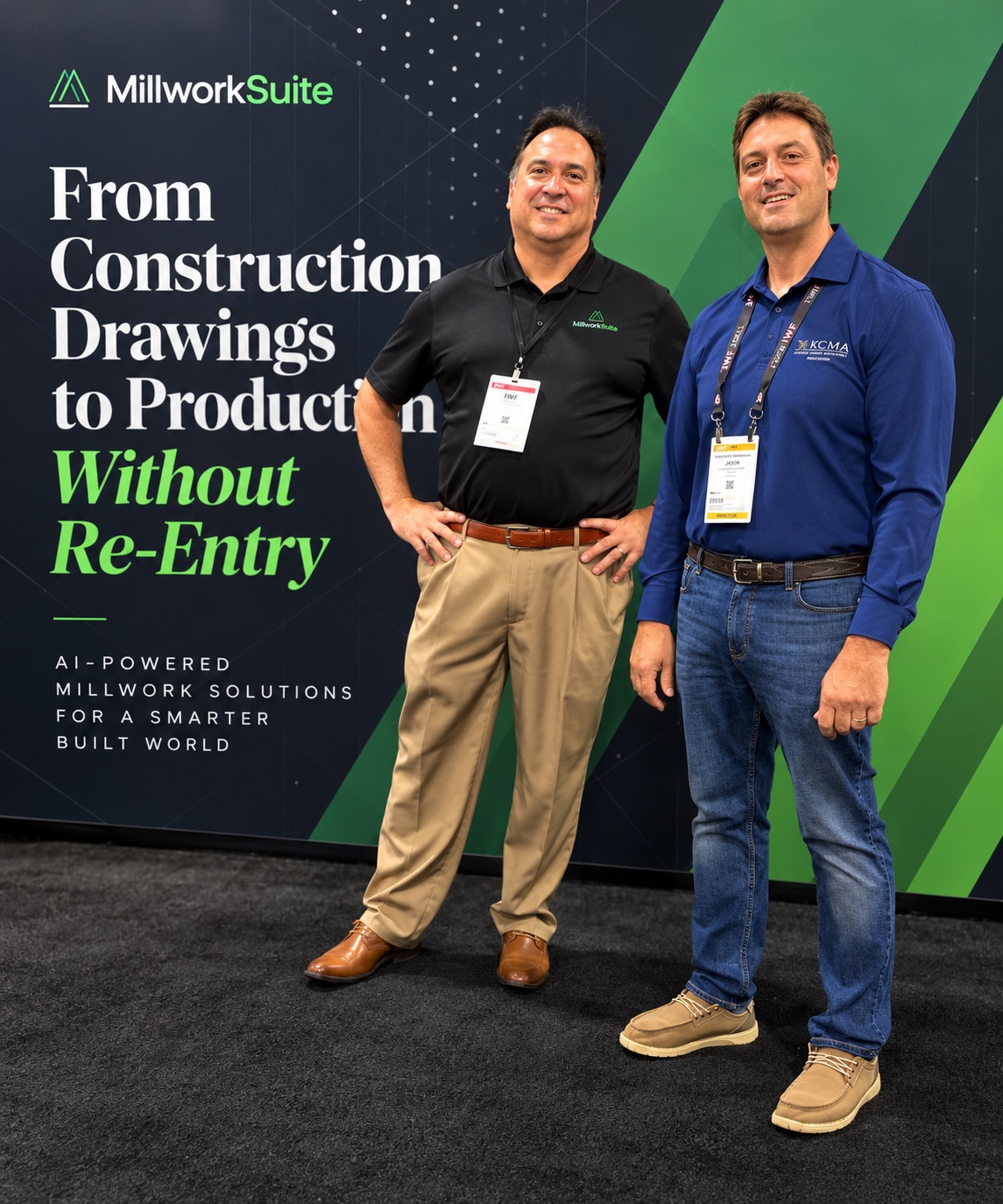
The Future of Millwork Is Connected — And MillworkSuite Is Helping Build the Bridge
After a conversation at IWF 2026, Nikolaos Athanasakos of ICMS LLC on continuity, AI, and what a truly connected millwork company could look like five to ten years out.
Read the article
Book a Demo
Pick a time that works.
Thanks for reaching out — grab a slot below and we'll walk you through MillworkSuite on a real commercial drawing set.
Trouble loading the scheduler? Open it in a new tab, or email info@millworksuite.com.
See It On Your Drawings
Bring a real commercial drawing set. See how MillworkSuite takes it from architectural PDF to reviewed scope, estimate and drafting workflow.